Every listing in Proxi gets its own permanent QR code. Put it on a storefront sticker, a park plaque, a mural, or a business card. What it points to keeps changing as your maps, events, and challenges change. The code on the wall never does.
A permanent QR code is the only thing you print once. Put eighty stickers up in the spring, launch a holiday map in November, and all eighty already point at it. You did nothing. That is the part worth understanding: printed signage loses value from the day it goes up, and these gain value every time you add anything to Proxi. And people do scan them now. Around 100 million Americans will scan a QR code this year, roughly one in three smartphone owners, after usage more than tripled since 2021.
Scan the QR code for a mobile optimized mini site, populated by data in business listing
.png)
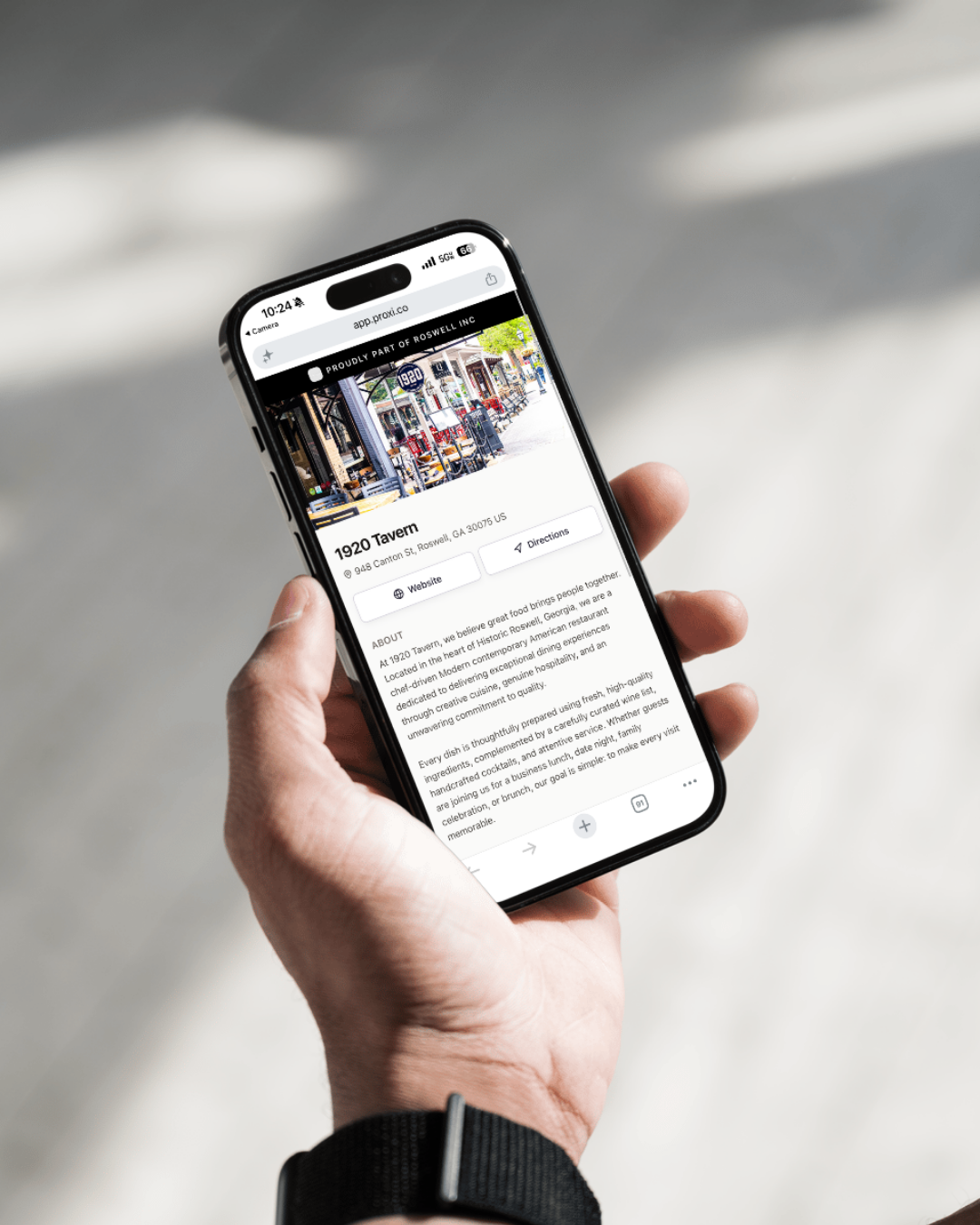
One code per place, and a page behind it that never needs your attention.

Every listing gets its own public page with hours, photos, a description, and links out to their website and socials. Everything somebody standing on the sidewalk actually wants to know.

The printed code never changes. The page behind it changes constantly, so a sticker you put up this spring is still correct next December.
.png)
If a place is on your directory, your holiday lights map, and your restaurant week map, all three show up on its page without anyone linking them by hand.

Calendar events at that location and any passport challenge or scavenger hunt running there show up while they are live, then step aside once they are over.

Business owners update their own hours, photos, and links from their business profile. You are not the bottleneck for three hundred listings.

Pull hours, photos, description, and contact details straight from a Google Business Profile to fill a listing fast, then refresh from Google whenever you want an update.
Three steps, and only one of them is ever repeated.
1
Import from a Google Business Profile or add it by hand. The permanent QR code exists the moment the listing does.
2
Storefront stickers, park plaques, mural signage, rack cards, business cards. Print them yourself, or email help@proxi.co and we will quote producing them for you.
3
Every map, event, and challenge that includes the place appears on its page automatically. Owners keep their own details current.
Five groups, five different reasons.
A window sticker on every storefront turns your district into something a visitor can explore without asking anybody for directions. And when you launch a holiday map in November, every sticker already points at it.
Members ask what their dues actually buy. A permanent code on their door carrying their hours, their photos, their links, and every map and event they are part of is something you can hand them at signup.
Plaques at trailheads, murals, benches, and historical markers. One code per location, pointing at a page you can update from your desk instead of ordering replacement signage every time something changes.
Visitors scan what is in front of them. A code in the window is a better discovery moment than a brochure they have to find first, and it still works after the visitor center closes for the night.
Plenty of small businesses have no website and no plan to build one. A permanent code gives them a real page with their hours, photos, and social links, and they control what is on it without hiring anybody.
[ PLACEHOLDER: bind this grid to the Built with Proxi collection, filtered to directories. ]
[ CMS: Organization and framing question ]
[ CMS: Organization and framing question ]
[ CMS: Organization and framing question ]
A permanent QR code is only as good as what sits behind it. Everything you already keep in Proxi shows up there on its own: your directory listings, your maps, your calendar, and any check-in challenge running at that location. Business owners fill in the rest themselves.
It is a QR code tied to a place rather than to a single link. Every listing in Proxi gets one, and the printed code never changes. What it points at updates on its own as you add maps, events, and challenges that include that place.
No, and that is the whole point. Print the sticker once and the page behind it keeps up on its own. New hours, a new photo, a holiday map, a passport challenge starting Friday, all of it appears without anybody touching the storefront.
A page for that specific place. Its hours, photos, description, and links, plus every Proxi map it appears on, any calendar events happening there, and any check-in challenge running at that location. For a business without a website, it functions as one.
Yes. Owners edit their own hours, photos, contact details, and social links from their business profile, which means you are not the bottleneck for every listing in the district. There is more on how that works on the business listing management page.
Yes. You can pull hours, photos, description, location, and contact details straight from a Google Business Profile to fill in a listing. It is a one-time import rather than a live sync, so you can pull fresh data from Google again any time you want an update.
Anywhere you can print. Storefront window stickers, park and trail plaques, mural signage, rack cards, table tents, business cards, event signage. The same code works on every surface you put it on.
Yes, in most formats. Email help@proxi.co and we will put a quote together.
Permanent QR codes are part of Proxi Premium.
[ PLACEHOLDER: one real customer quote about storefront codes. ]
[ Name, Title, Organization ]
Start with one block. Print the stickers, see what people scan, then do the rest of the district.